The Zero Subtitle contains general information about the subtitled programme, such as the title, language, and episode details. By convention, it is numbered 0, with in- and out-cues set to 00:00:00:00 and 00:00:00:08, respectively.
If a Zero Subtitle is not present in the input file, or if you wish to add or update its information, this option can be enabled.
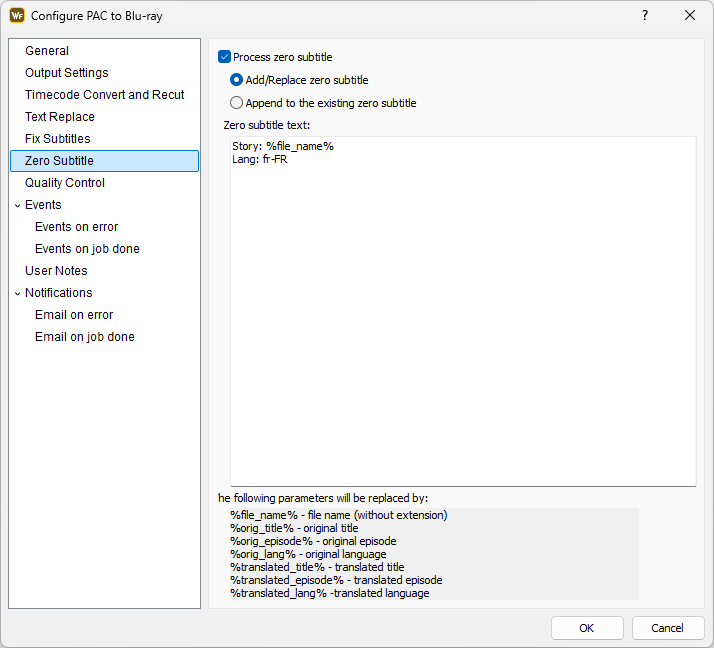
The content entered in the edit box below will be copied to the Zero Subtitle exactly as provided.
To support flexible and consistent formatting, several parameters can be included in the text; these parameters will be automatically replaced with their corresponding values. A list of the available parameters and their meanings is displayed at the bottom of the window.
In addition, each Zero Subtitle line may include alignment and font information using the format [C2] where:
- C, L, or R specify the text alignment (center, left, or right)
- 1 or 2 indicate the display font number (Font 1 or Font 2).
If the Append option is selected and no Zero Subtitle exists in the input file, a new Zero Subtitle will be created using the contents of the edit box.
Note: Metadata availability depends on the input format. Sadly, not all metadata fields are supported by every format.